You may want to revisit a form that has already been submitted in OneAegis (formerly IRBManager), or make a copy of your submission form. Here's how you would do that.
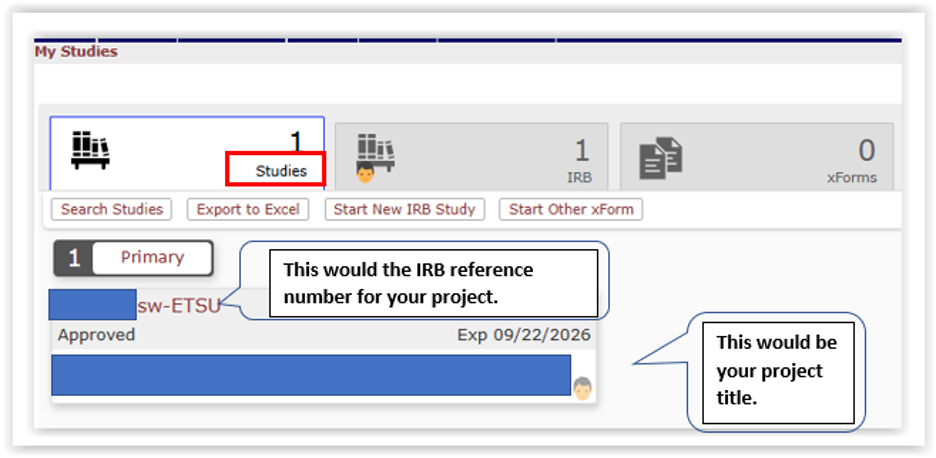
- Login to OneAegis. From the dashboard view, select the appropriate study number from My Studies.
Selecting the study number will open a Protocol Page.
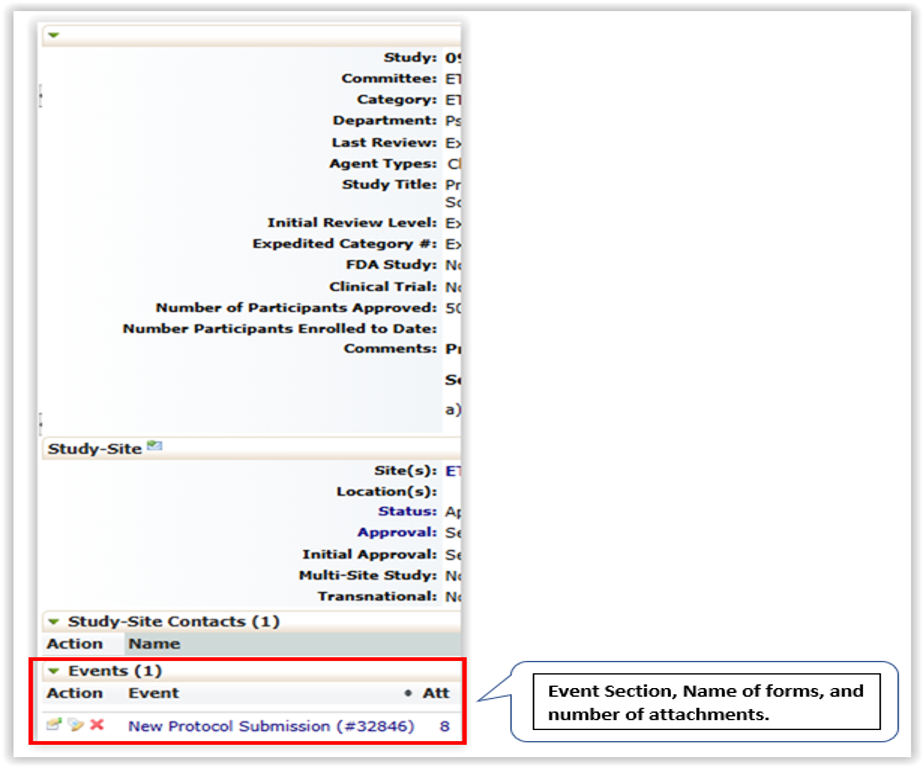
- On the Protocol page, scroll down to the “Events” section. This section will list all forms that have been submitted to the IRB during the life of the project. Select the name of the form you want to review (e.g., New Protocol Submission form, Administrative checkin, Continuing Review, Modification, Closure, etc.).
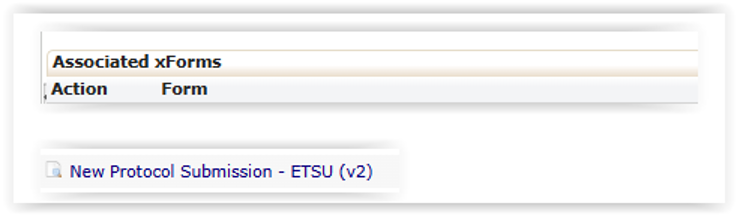
- In the left margin, under “Actions”, Select “xForms” to look at completed forms or, select “Attachments” to view documents that were attached to the submission form.
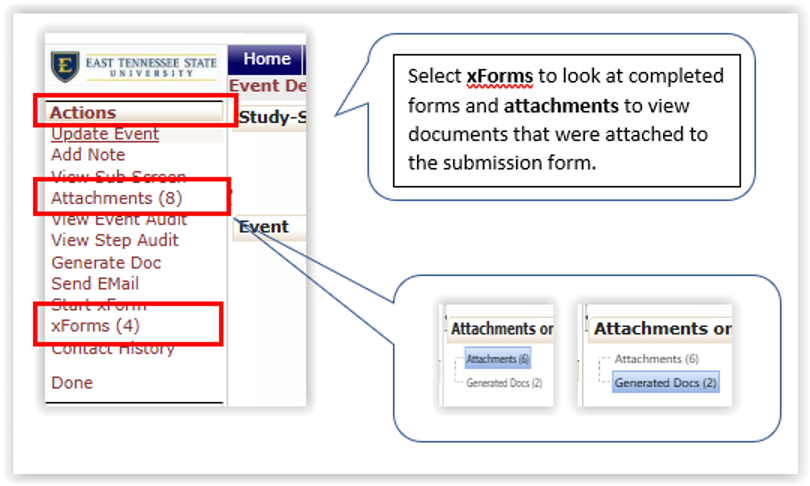
- Choose from the list of forms:
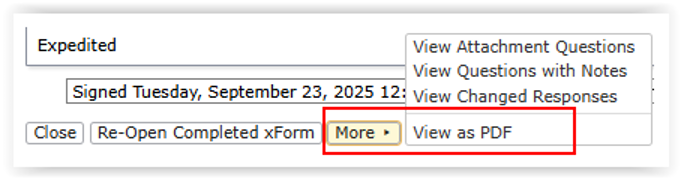
- When the form is open, you can review the document, or scroll to the bottom of the form and hoover over “MORE”. This will open a dialog box that let’s you select “View as a PDF”, which also allows you to make a copy. You can make a pdf of any document that you have access to in OneAegis.