OneAegis New Features
As IRBManager transitions to OneAegis, you'll notice a few things have moved around
on your dashboard. To make the switch easier, we've listed screenshots below of a
few major components that have moved.
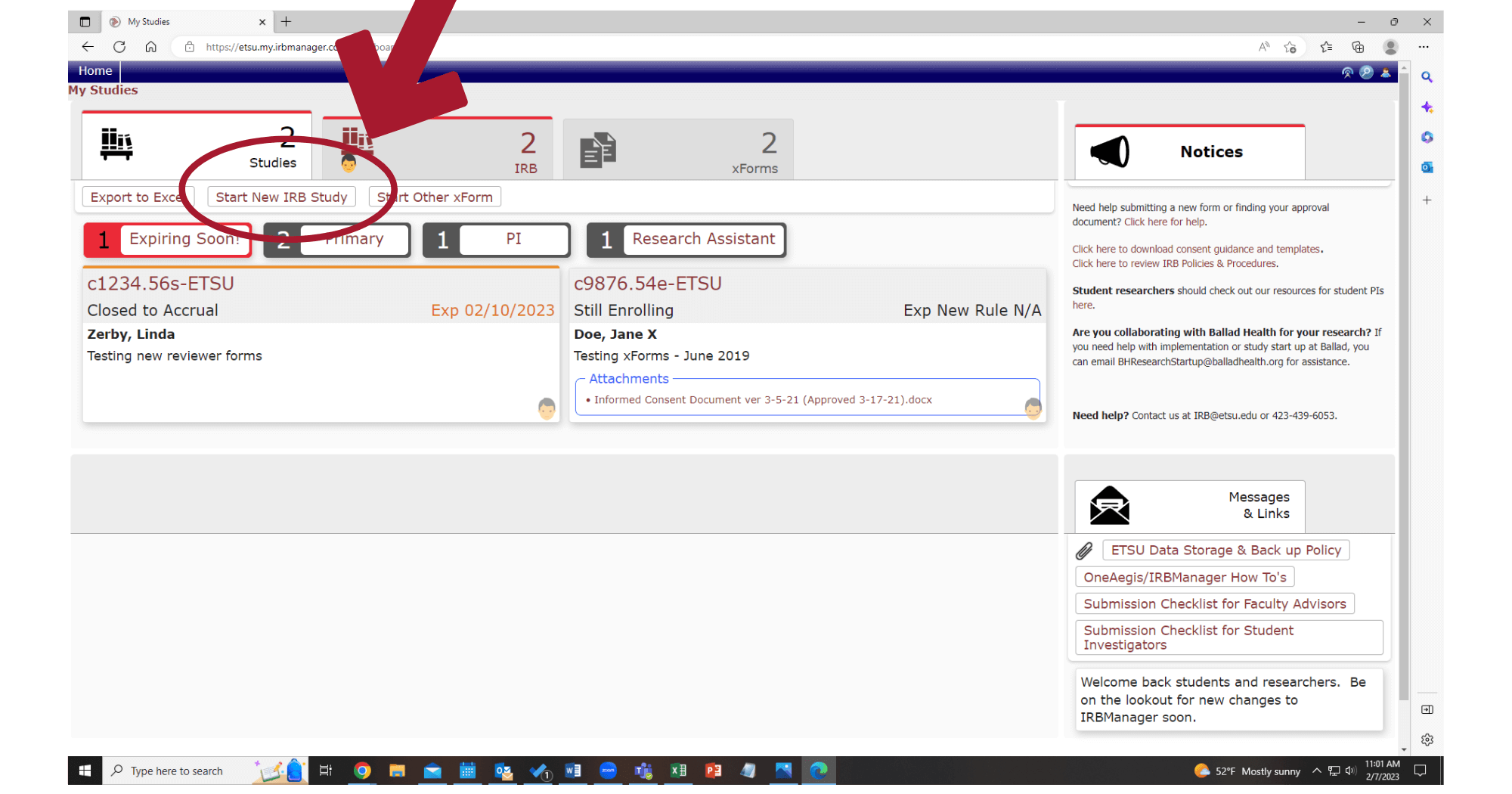
- Where do I start a new study?
-
To start a new study, click "Start New IRB Study." This will take you to the same protocol xForm that IRBManager used.
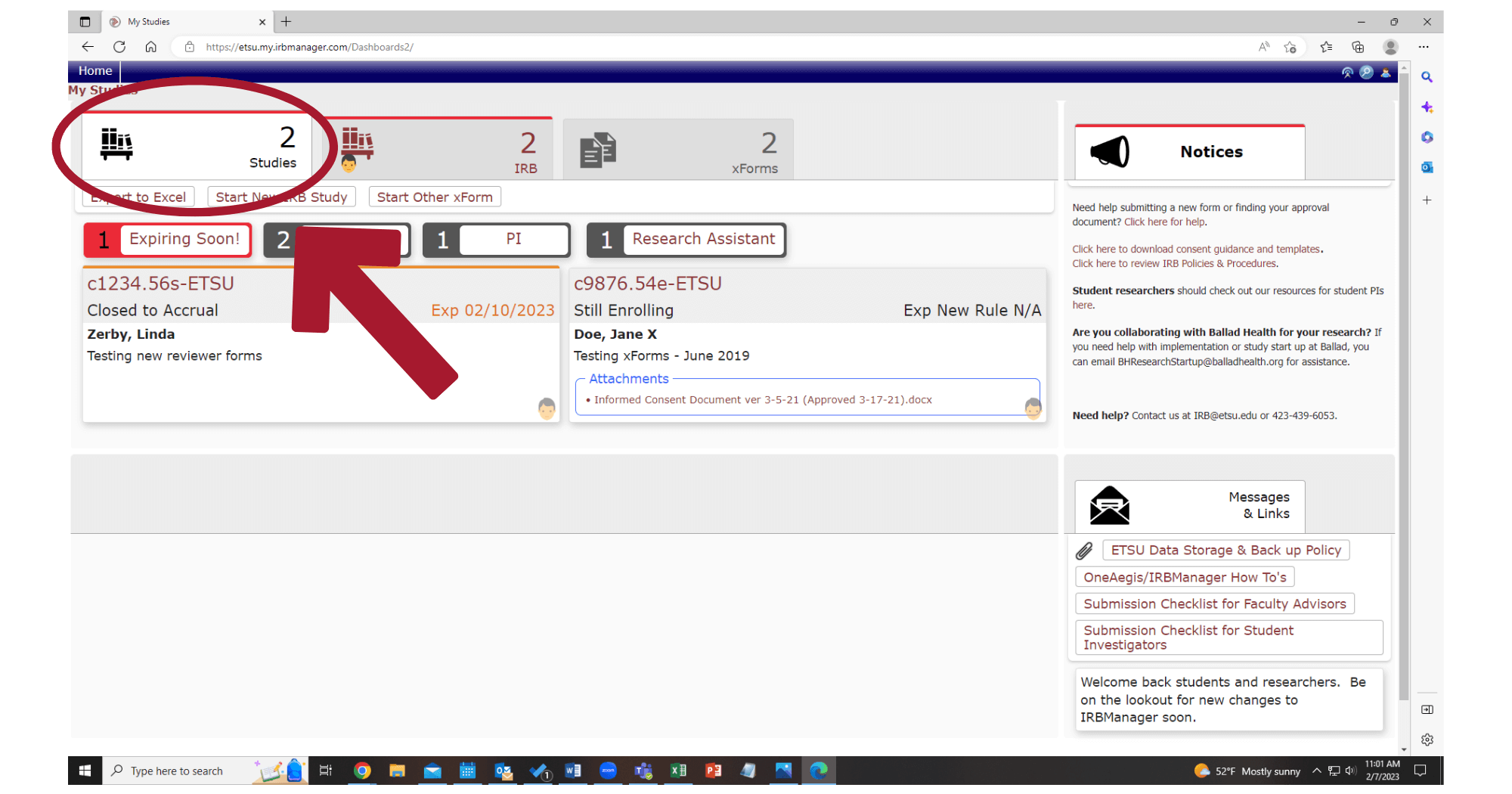
- How do I access my existing studies?
-
Clicking on an individual study ID will take users to the same protocol page that users are familiar with.
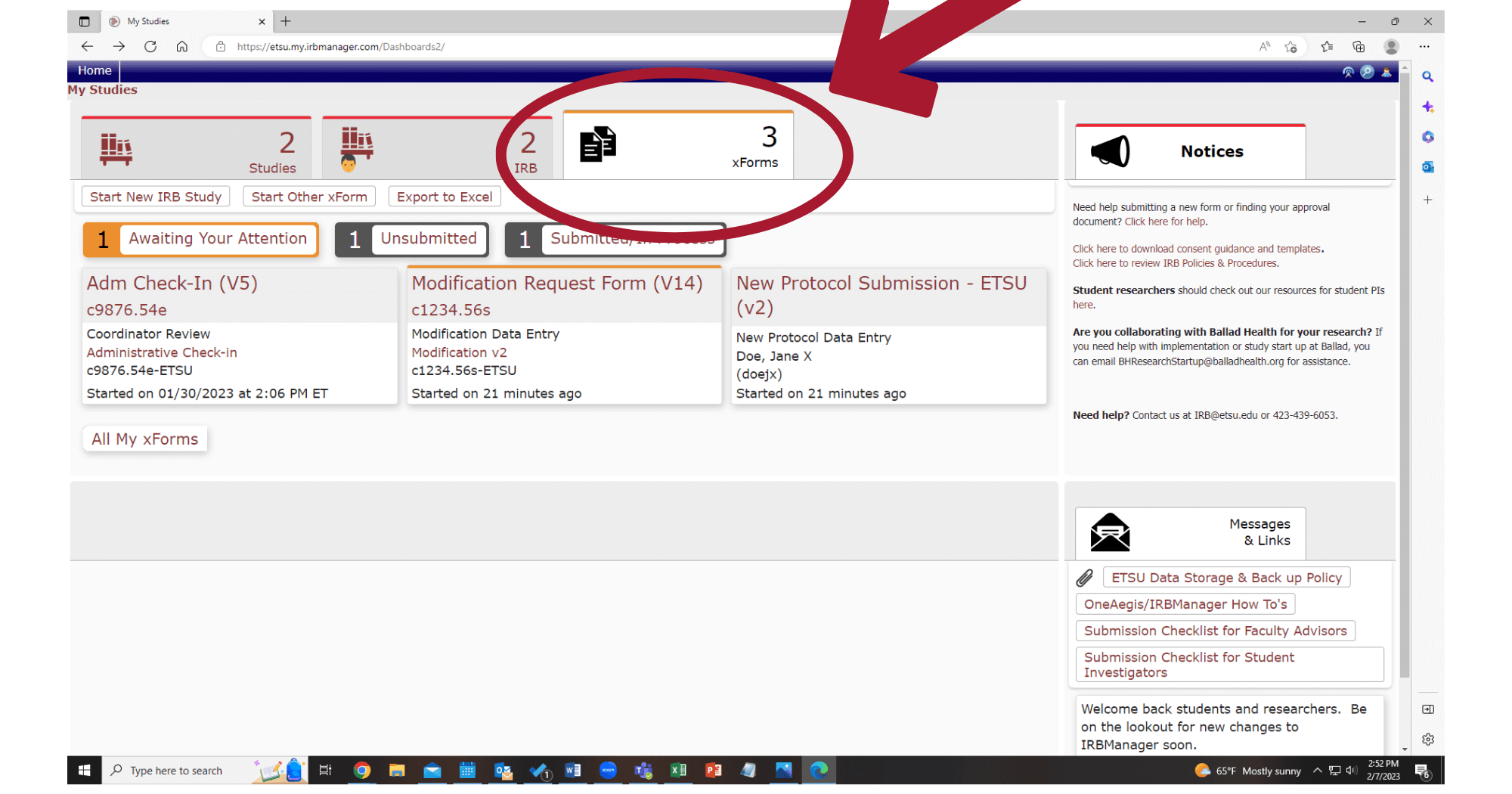
- Where are my open xForms?
-
There are now separate tabs which allow users to toggle between unsubmitted xForms, submitted/in process xForms, and xForms awaiting your attention. Like in IRBManager, you can click each tab to see those specific xForms.
- Where are Settings, Recent Items, and Sign Off?
-
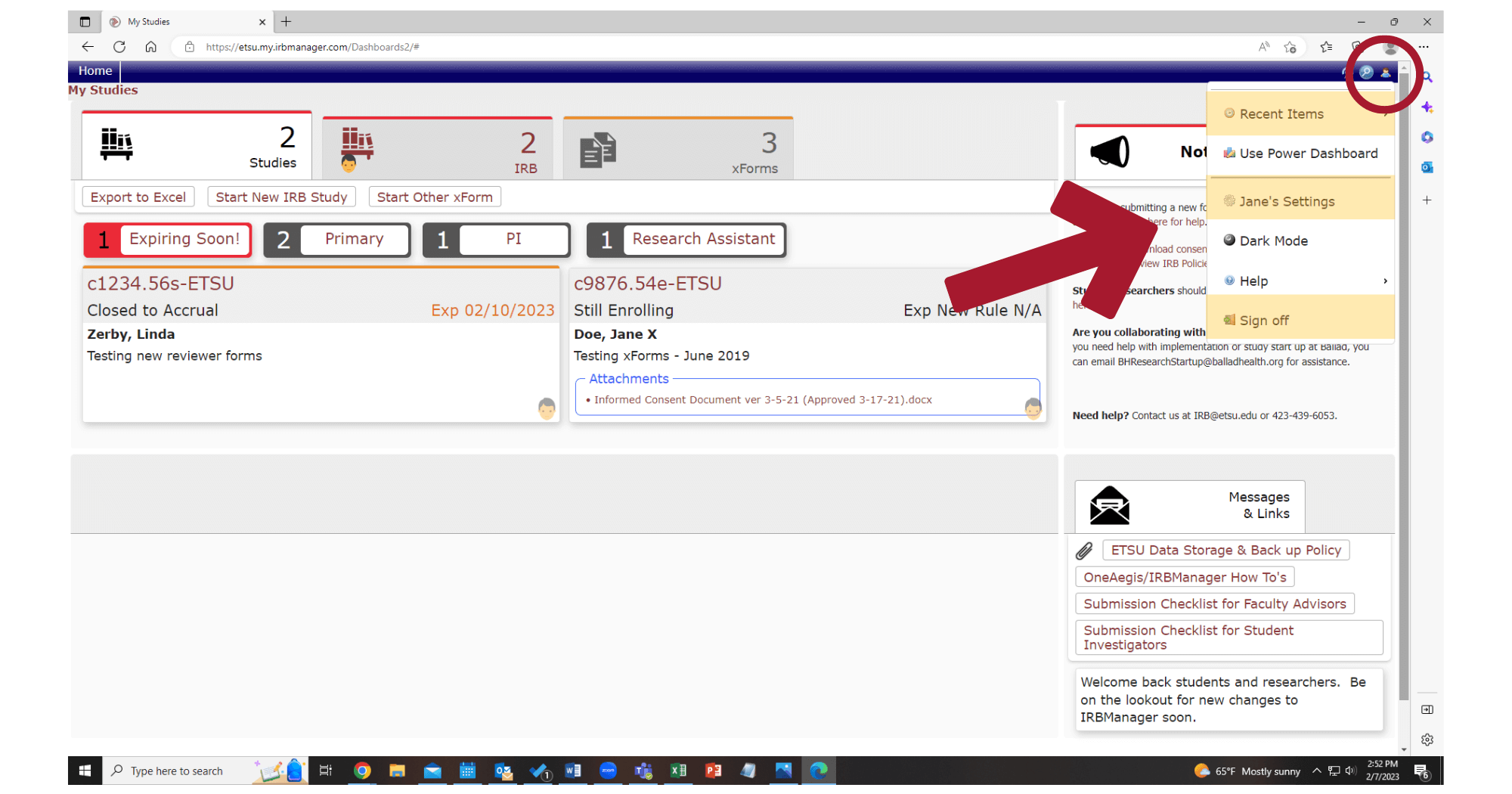
Several items have moved to the Menu in the top right corner. Click on the person icon in the top right corner to access your Settings, Recent Items, and Sign Off.
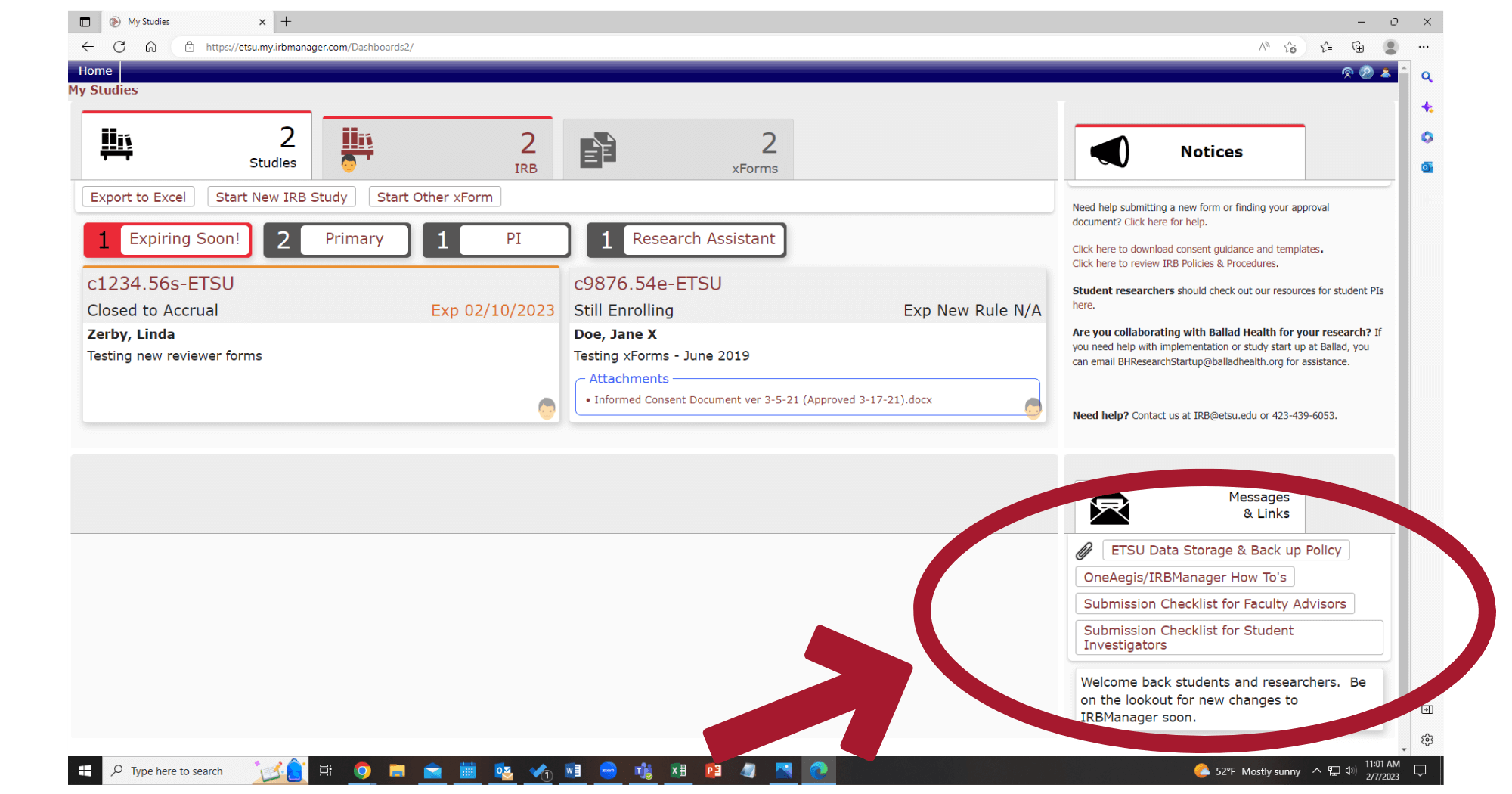
- Where are the messages and links?
-
Messages and Links have moved to the bottom right corner.