Services
Need help on campus? See below the services that we offer and how we can assist you!
Accident ReportTo request a copy of your accident report, please fill out our record request form. You will need the case/incident number provided at the time of the accident. |
 |
 |
Dead Battery
|
Locked Out
|
 |
 |
|
Lost & FoundFor those who have lost an item, please come by the Police Department to see if your missing item has been turned in. If you have found an item on campus, please bring it to the Police Department. When you bring the item in be prepared to answer a few questions, such as, where the item was located when found. We appreciate your help in getting these items back to their owners. |
 |
 |
Safety EscortDuring the Fall & Spring Semesters, you may contact the Johnson City Transit campus
shuttle, Bucshot, which is available from 8 pm to Midnight Monday-Friday. |
Sgt. PepperSgt. Pepper loves being there to support ETSU's community! If you are interested in having Sgt. Pullon and Pepper visit your event, please fill out this form with more details to add it to their event calendar. |
 |
 |
Keep your personal property safe, such as bicycles, laptops, phones, etc. by registering your items in our theft prevention program. Learn more here. |
Emergency AwarenessFamiliarizing yourself with the plans and resources available on campus is beneficial
to your safety. Check out the ETSU Safety page to learn about emergency preparedness and planning in case of medical emergencies,
severe weather, and more. |
 |
Emergency Phones on Campus
There are emergency phones located throughout campus to easily connect you directly
to the ETSU Police Department by simply pushing the red button. The map below uses
blue dots to indicate the emergency phone locations.
Note: To close the left-side panel, click on the info icon.
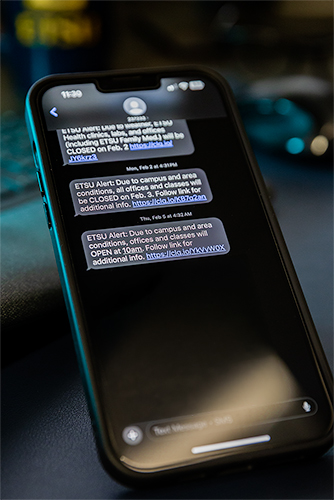
Emergency Mass Notification System
ETSU's emergency notification system utilizes contact information collected during the on-boarding and/or enrollment process. Simply ensure your information is listed correctly by doing the following:
Faculty, Staff, and Graduate Assistants:
- Log in to the Voyager system
- Under the "Me" tab, click "Personal Information" followed by "Contact Info"
- Under the "Phone Details" section, add or edit the listed information to reflect your current mobile phone number. Select "Home Mobile Phone" under phone type.
Current Students:
- Log in to Goldlink
- Select "Student"
- Under "Personal Information", select "Set Text Message Phone Number or Opt Out of Text Messaging"
- Update number and select "Opt-In"
Additional Safety Resources
Regional Safety Links
Johnson City Bureau of Police
Bristol (TN) Police Department
Bristol (VA) Police Department
Kingsport Police Department
Knox County Sheriff's Office
Sullivan County Sheriff's Office
Tennessee Office of Criminal Justice Programs
Tennessee Highway Patrol
Washington County Sheriff's Department
Carter County Sheriff's Department
Unicoi County Sheriff's Department
Sex Offender Registry
Other Tennessee University
Police Departments
Austin Peay State University
University of Tennessee-Knoxville
Vanderbilt University