Mobile Buc ID
YOUR BUC ID IS NOW MOBILE !
Your phone goes with you everywhere - now your BUC ID does too! No wallet. No card. No hassle. Your BUC ID is now available on iPhone, Apple Watch, and other eligible Android phones.
All students, faculty, and staff with NFC-enabled smartphones are eligible and strongly encouraged to adopt this new technology.
Tap your iPhone, Apple Watch, or other eligible Android devices at readers across campus to conveniently use your Mobile BUC ID. Use it the same way you've always used your plastic card - simply tap the reader with your device instead of a physical card.
|
|
|
|
|
|




Upload a photo for your BUC ID
Photo Submission/Preparation:
An approved photo is required to use your BUC ID. If you already have an ETSU ID,
a new photo is not required. Online photo submission is currently set to only allow
one (1) approved photo. To submit a photo for your BUC ID, please review our photo
requirements first.
Then, upload a photo for your BUC ID using the GET mobile app.
Photo uploads are checked regularly and will generally be approved or denied within 1 - 2 business day.
Mobile Setup & System Requirements
Getting Started:
Using your Mobile BUC ID requires minimal setup on your phone. Most users can start
using it within a few minutes. An approved photo is required before the credential
can be assigned. Please note: setting up your Mobile BUC ID will result in the deactivation of your
physical card.
Apple users: Do not forget to add your card to your mobile wallet. This is the final step to make the card active.
Quick and easy to use
Once your Mobile BUC ID has been added to your phone, you will not have to bring up the card on the screen to use it. Simply tap your device to the reader. Apple devices have express mode options and should work without any extra effort (when this feature is activated). Android devices just need to be woken up first and should work the same way.
There is a 20-30 minute delay before door access becomes active. Please be patient, as your approved access will begin working shortly. No changes are required on your device.
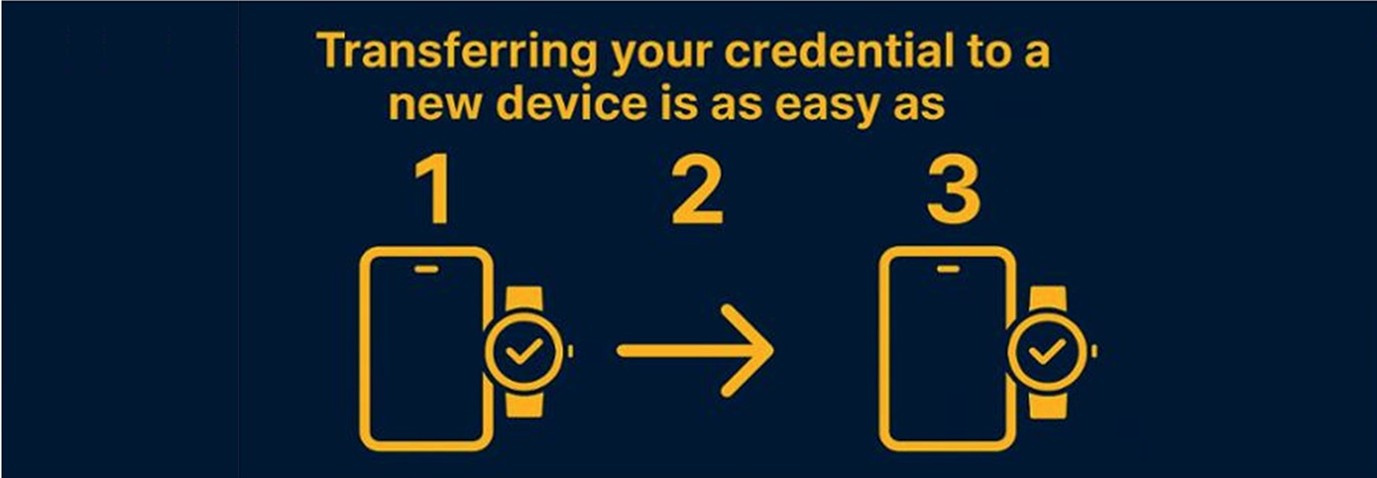
Transferring your Mobile BUC ID to a new device
 |
|
FAQ
-
What is the BUC ID?
The Buc ID is ETSU's official university identification credential. It is available in mobile and physical formats, and both function the same for: Campus access, Dining and meal plans, ID BUC$ purchases, Library services, Campus Recreation (CPA), Printing, Event and Athletics Ticketing, approved off-campus merchants, and more.
You may choose to use your Buc ID in either format (where available), and both are treated equally. -
How do I get my Buc ID?
-
New / First-Time Students
You must be registered for classes before receiving your Buc ID. Once registered:
Follow instructions to add your mobile Buc ID to your digital wallet, or
Visit ETSU ID Services to receive a physical Buc ID (if needed).
Your first Buc ID is provided at no charge.
-
Returning Students
If you previously attended ETSU and still have your Buc ID, it will automatically reactivate when your new semester begins.
If you no longer have it, a replacement fee applies.
-
Visiting Scholars / Departmental Guests
Guest Buc IDs must be requested by the sponsoring department.
Departments must submit a Guest Request Form toidbucs@etsu.edu.
Guest Buc ID cost: $10
-
New Faculty & Staff
Faculty and Staff will receive instructions for provisioning their ID at new employee orientation, hosted by the Office of Human Resources. Employees wishing to have a physical BUC ID will need to visit ETSU ID Services.
-
-
How do I add my Buc ID to my phone?
Follow the instructions provided after registration to add your Buc ID to your digital wallet. If you experience any difficulties, contact Campus ID Services: 423-439-8316 idbucs@etsu.edu
2nd Floor, D.P. Culp Student Center Monday–Friday, 8:00 a.m.–4:30 p.m. -
Can I use my mobile Buc ID without cellular service?
Yes. Your Buc ID is stored securely on your device and does not require a cellular signal to function.
-
What if my phone battery dies?
Some newer devices (such as certain iPhone models with Express Mode) may allow limited use for a short period after the battery dies. However, most devices require battery power for mobile Buc ID functionality.
Students are encouraged to:-
Keep devices charged
-
Carry a charger when possible
-
Try using the phone (even if battery is dead) before calling for help.
-
-
Will my door access automatically transfer to my mobile Buc ID?
Yes. Access updates run approximately every 20-30 minutes. When you first provision your mobile Buc ID, there will be a short delay before your access permissions begin working.
-
What about my access to the CPA?
The CPA has also been converted to the new technology. Just tap your phone or Apple watch on the reader at the front door. (The import of new credential information runs once each night, so if you receive your mobile credential in the middle of the day, it should begin working at the CPA by the next morning. You may still enter the CPA during this time by showing your mobile BUC ID to the attendant at the CPA membership desk.)
-
Will my mobile Buc ID work at off-campus merchants?
Yes. Your Buc ID (mobile or physical) works anywhere that accepts ID BUC$.
Note: Dining Dollars and Flex Dollars cannot be used at off-campus merchants.
-
Do the digital and physical Buc ID work differently?
No. They function the same way. To make a payment or access a door, tap your phone or your physical Buc ID at the reader. (Please note that both cards cannot be active at the same time.)
-
How should I care for my mobile Buc ID?
For digital BUC IDs, it is best to maintain a passcode on your phone to prevent unwanted use in case of loss or theft. Keep your phone charged and maintained in accordance with manufacturer's instructions.
-
What if my Buc ID stops working?
No worries - we've got you covered. If your Buc ID isn't working, stop by ETSU ID Services in the Culp Student Center. Our staff will help troubleshoot issues with both physical cards and the digital wallet.
If you have a physical BUC ID, stop by with your most recently produced card. If it's deemed defective due to standard use it will be replaced at no charge.
Lost, stolen, or damaged physical Buc IDs are subject to a $27.38 replacement fee.
-
I lost my phone, what should I do?
Deactivate your BUC ID immediately by doing one of the following:
-
Logging into your GET account
-
Contacting Campus ID Services
-
Contacting ETSU Police
-
-
Can I have two active Buc IDs?
Individuals cannot have both an active physical ID and a digital ID. However, the BUC ID can be added to up to two mobile devices (e.g., iPhone and watch). The Buc ID system supports only one active mobile credential per individual, even when using a combined Phone/Watch setup.
-
I don’t like my photo. Can I retake it?
Yes. Mobile BUC ID photos can be changed through the GET app. Only forward-facing headshot photos with a solid background will be accepted.
A replacement fee of $27.38 applies for photo changes on previously printed physica ID Cards.
-
I’ve had a legal or preferred name change. How do I update my Buc ID?
Update your name on official university records by completing and submitting a Personal Information Change on Official University Record form.
Once updated with University Records:
Your Mobile BUC ID should update automatically within a few days.
Visit Campus ID Services to receive an updated physical Buc ID.
-
If you are not local, contact the office for instructions.
-
If you are getting a new physical card, you will need to turn in the most recent copy of your ID card to get the name changed at no cost.
-
-
Still have questions?
Contact Campus ID Services at 423-439-8316 or idbucs@etsu.edu. Business hours are Monday-Friday, 8:00 am – 4:30 pm.
The BUC ID complete FAQ page is available here.
The BUC ID full terms and conditions statement is available here.